 Novrix Sports
More
Learning the rules
Lessons, rules and serve practice for each sport, in English and Bisaya.
Choose your sport
Open Settings → Sport. It decides what Learn and Rules show, and the sport for a new queue.
The Learn tab
- Formations, Technique, Tactics, Do’s & don’ts, and a Training plan: a 75-minute session to repeat each week, with your ticks saved on the phone.
- Scenarios: Basic, Advanced and Expert. Each plays out on the court and asks what you’d do. Your progress shows at the top.
- Serve & score: who serves, and from where. Tap who won each rally and watch the positions change. Right call: line-call questions.
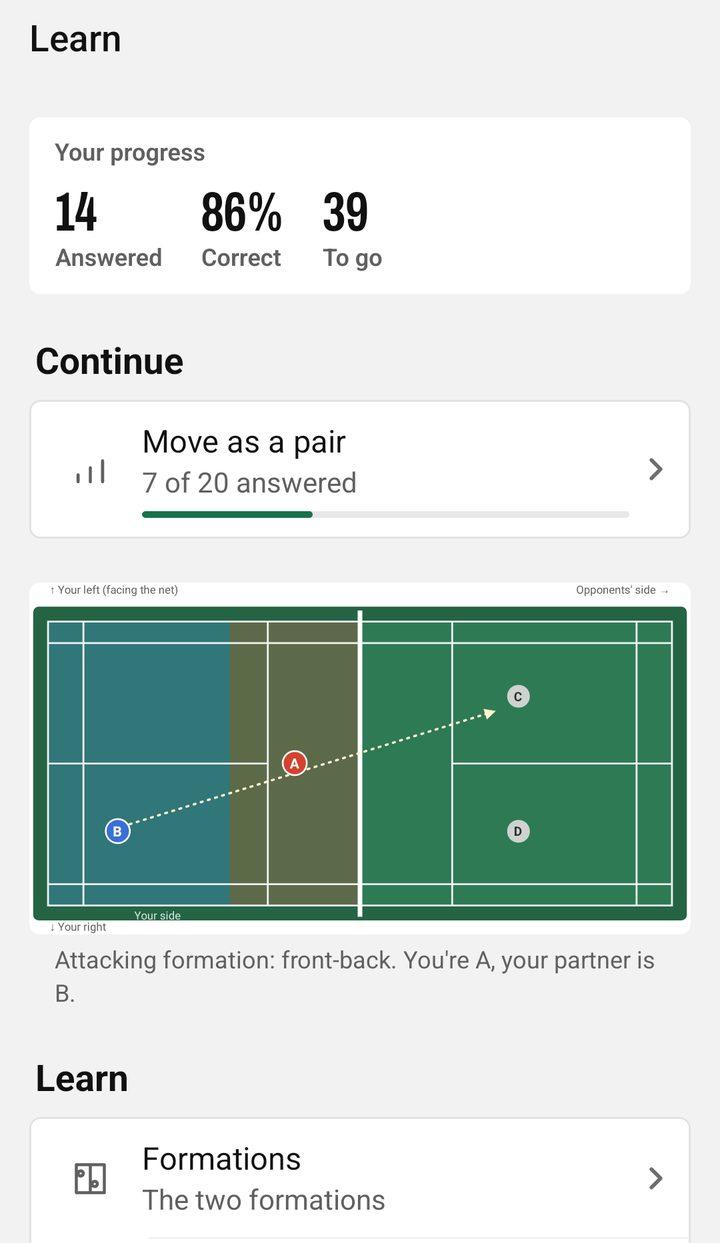
Badminton, pickleball, tennis and padel have all of these. Table tennis, volleyball and basketball have Technique, Tactics, Do’s & don’ts and the Training plan.
The Rules tab
Terms & calls lets you search the words players use. Rules covers the rules for beginners, with sources. Handy to look something up during or after a game.
English or Bisaya
Tap EN or CEB at the top right of the Queue tab, or choose English or Bisaya under Settings → Language. Everything in the app switches, lessons included.
The tour and the practice session
Settings → Watch the tutorial replays the one-minute tour. Try a practice session runs a guided queue with sample players; leaving it brings back your real queue.
What’s new
After an update, a banner on the Queue tab shows what changed. You can read it again any time in Settings, under About: What’s new.