 Novrix Sports
Sharing and money
Fees and payments
Set a fee, record who paid by cash or GCash, and see who still owes.
Optional. Leave the fees blank for free play; the money parts of the app only show once a fee is set.
Step 1: Set the fees
- On the Queue tab, tap the settings button next to the tabs.
- Under Fees, fill in any of the three below.
- Per game: charged for every game a player plays.
- Entry fee: once per player.
- Shared cost: like the court rental or shuttlecocks, split equally among everyone who played.
Players still marked not here yet owe nothing. Shares are rounded down, and the app tells you if a little of the shared cost isn’t covered.
Step 2: Record a payment
- On the Players tab, tap the amount next to a player’s name (or ••• → Record payment).
- Tap the amount with cash or GCash to record exactly what they owe.
- Paid a different amount? Tap Another amount…, pick one or type it, then choose Cash or GCash.
A mistake? Tap Undo in the bar that appears, or open the sheet again and tap Clear payments.
See who still owes
On the Results tab, Money shows how much has been collected out of what’s expected, the cash and GCash split, and everyone who still owes, including people who already left. Tap someone to record their payment.
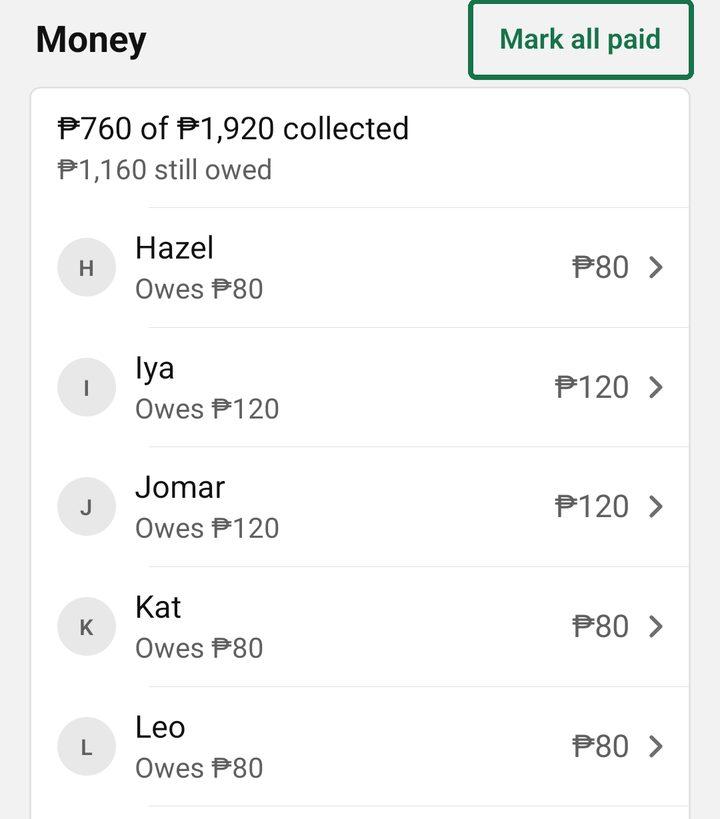
Mark everyone paid
When more than one person owes, Mark all paid appears. The app tells you how many players and how much, and asks whether they paid by Cash or GCash. You can undo it in one step.
Late payers
After you wrap up, the session’s recap lists who’s Still to pay. The session stays in Past sessions for 30 days, so you can still mark late payers paid. The spreadsheet export includes what each player owed and paid.