 Novrix Sports
Players and teams
Pairing players by level
Give players a level so teams come out even, or similar levels play each other.
Optional. Give each player a level and the app uses it when it picks the next game. Players without a level count as Intermediate.
Two ways to use levels
- Balance teams by level: high and low together. Each game is split so the two teams are as even as possible, for example an Advanced and a Novice against two Intermediates. Who plays, and when, doesn’t change.
- Group players by level: similar levels together, so the Advanced players end up playing each other. The person at the front of the line still goes on next, joined by the three closest to their level from the next 8 in line.
You can turn on one, or both.
Step 1: Turn it on
- Open the Queue tab and tap the settings button next to the tabs.
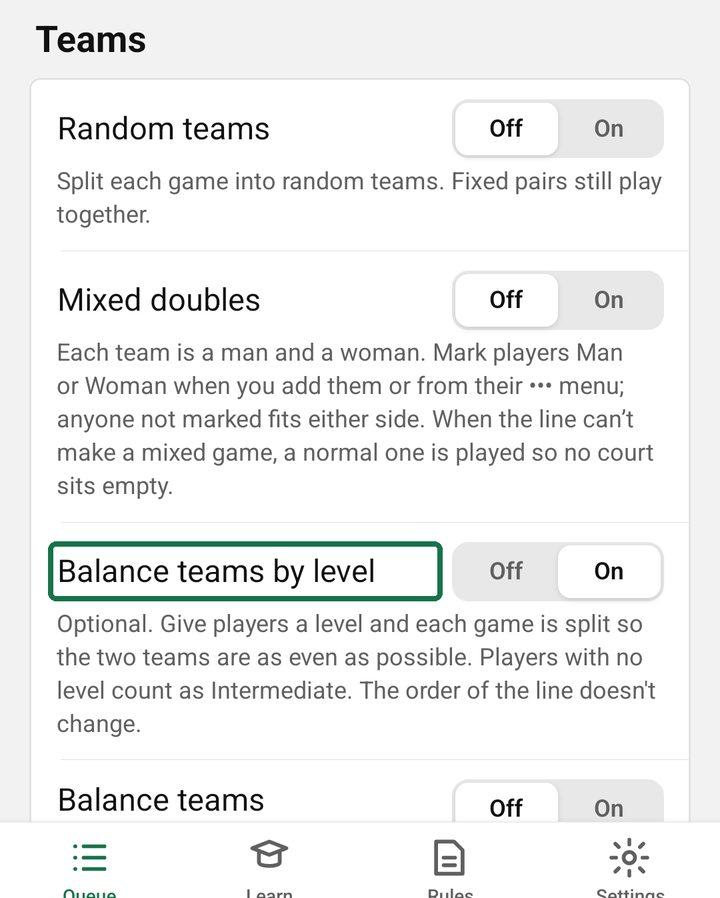
- Under Teams, turn on Balance teams by level, Group players by level, or both.
- For balanced teams, keep Random teams off. Random teams splits each game at random and ignores levels.
Step 2: Give players a level
You can give players a level at any time, even before turning a setting on. Levels only change the games once one of the settings above is on.
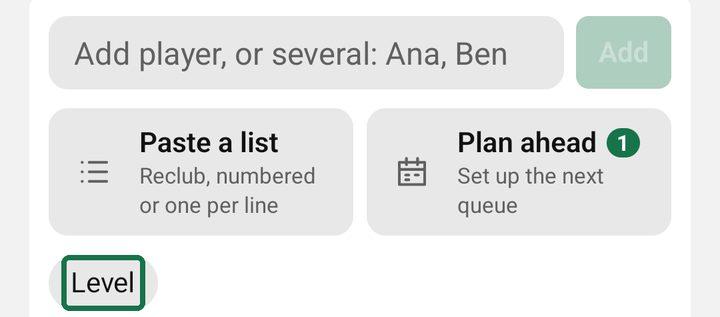
- When you add someone, once a setting is on: on the Players tab, tap Level under the name box and pick Beginner, Novice, Intermediate or Advanced, then add them. The choice stays for the next person, which helps when a group arrives together.
- For someone already in the queue, setting on or not: tap their name and then Level, or tap ••• next to their name and choose Level, then pick one. You can change it at any time, even while they’re playing. It counts from their next game.
Step 3: Run the session as usual
Each free court shows the next game as usual, now with levels taken into account. Shuffle gives another option, and Edit lets you pick by hand.
Is it still fair?
Balance teams by level only changes how each game is split into two teams. The order of the line stays the same.
Group players by level lets someone further back play before someone who has waited longer, if their level is closer. Nobody loses their place: a player whose level few others share may wait a game or two more, but they play when they reach the front. The app only looks at the next 8 in line, so it won’t keep the Advanced players strictly to themselves when not enough of them are near the front.
In Manual rotation you pick every game yourself, so these settings don’t pick anyone.
Balance teams automatically
Levels can be wrong: someone set as a Beginner may win every game. Balance teams automatically (Queue settings → Teams) learns from today’s results instead and splits each game so both teams are as even as possible.
- Everyone starts from their level. No level counts as Intermediate.
- A win moves a player up and a loss moves them down. Beating a stronger team counts more; beating a weaker one counts less. A big score margin counts more than a close one, when scores are kept. A game with no result changes nothing.
- Who plays next doesn’t change: Fair rotation still decides that, so nobody waits longer. Only how the players are split into two teams changes.
- It starts fresh each session, and the ratings aren’t shown to players. A suggested game says even on today’s results when it’s balanced this way.
- Turn it on at any time, even mid-session: it uses all the games so far. Games already on court or lined up keep their teams. Fixing or deleting a result recalculates everything.
It replaces Balance teams by level: turning one on turns the other off. Group players by level still uses the levels as you set them.