 Novrix Sports
Running a session
Results and keeping score
End a game, add the score, change the scoring, keep score point by point, and fix a mistake.
Ending a game
- Tap End game on the court.
- Under Who won?, tap the winning team.
- To add the score, tap + Add the score. Use − and +, tap one of the Common scores, or tap a number to type it.
- Tap the button that says who won, like “Ana & Ben won · 21–15”.
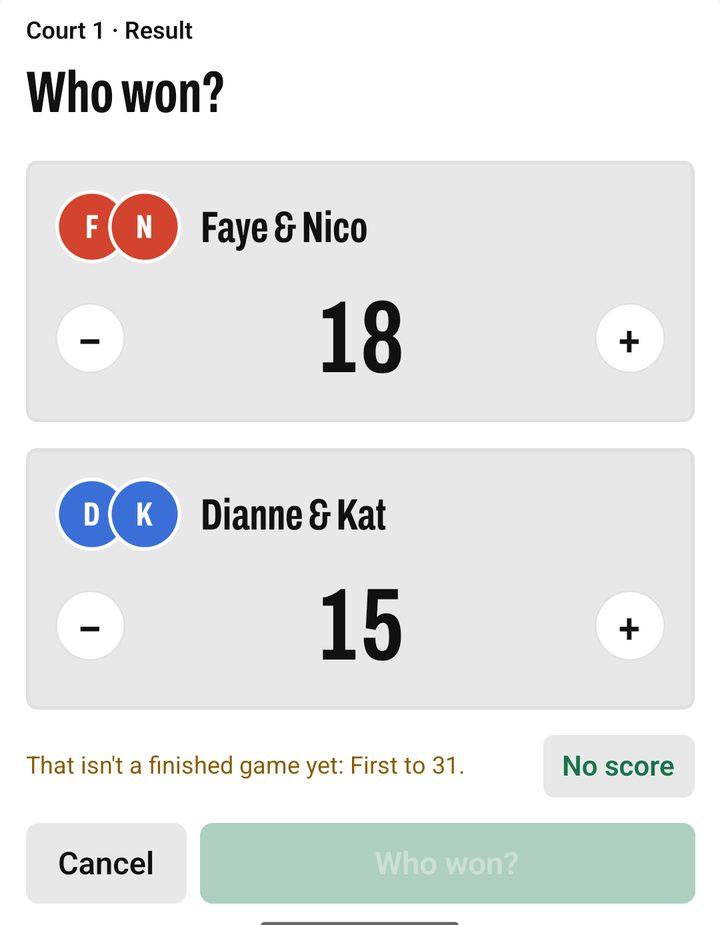
If the score already says who won, the app picks that team for you. A score that doesn’t finish a game under your rules can’t be saved, and the app says why.
Other ways a game ends
Tap ••• on the court:
- No result: the game counts for everyone, with no winner.
- Cancel game: it doesn’t count, and the players go back to the front of the line.
- Edit game: drag players between the teams to re-pair them, or drag someone off and bring in someone who’s waiting. Saving starts the game over (clock and score back to zero), since time on court decides ties in the standings.
Changing the scoring (for example, 31 points)
- Open Queue settings ( next to the tabs).
- Under Scoring, choose the Points to win, or Other for any number.
- Turn Deuce (win by 2) on to play on until one side is two ahead, up to Play up to. With it off, the next point wins.
Tennis and padel choose a set instead: One set (to 6), Short set (to 4) or Pro set (to 8). New badminton sessions start at 31 points with deuce off.
Keeping score point by point
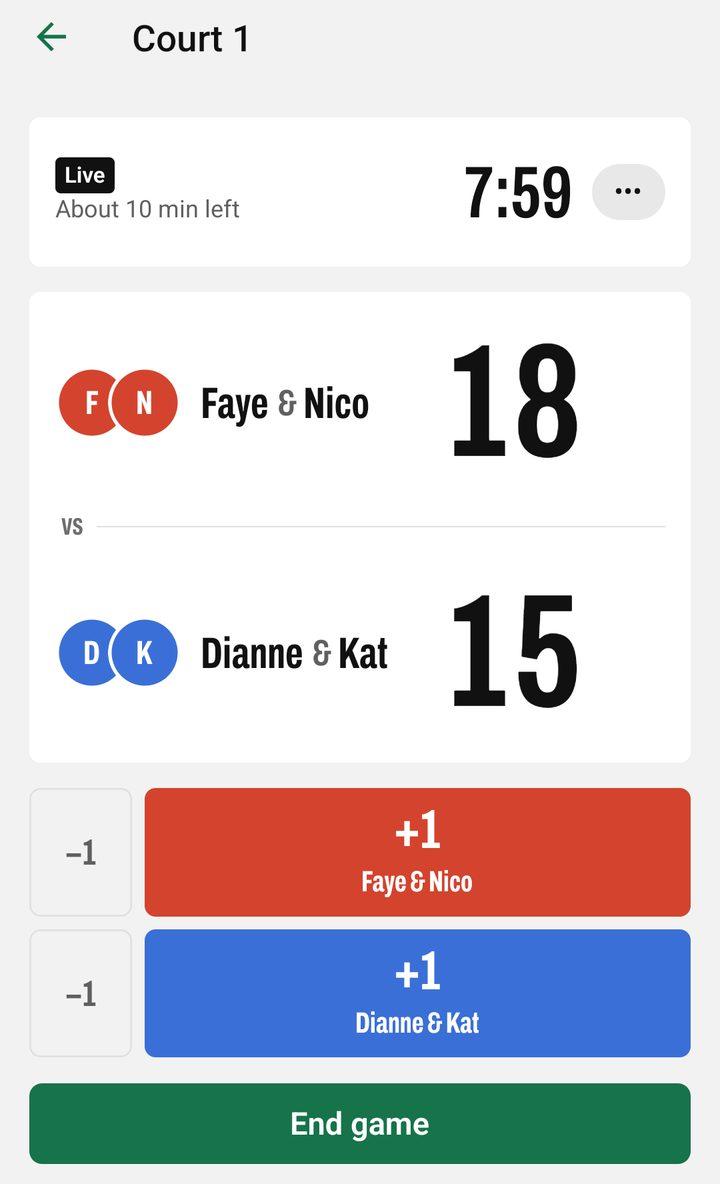
In Queue settings, under Games, turn on Keep score on court. Every court card gets a running score: tap +1 for the team that wins a rally, and −1 to fix a wrong tap. Tap the score to type it. When the score finishes a game, End game already has it filled in.
A scoreboard at the court
Tap a court’s name (with ›) to open it on its own screen, with a big score and large buttons, for a phone kept at that court. Use ‹ and › to move between courts. The phone doesn’t lock while it’s open; turn that off in Settings → Keep screen on.
Starting the next game
When you record a result, the court stays free until you tap Start on it, so you decide when the next game goes on.
Fixing a mistake
- Open Results and tap the game under Recent games (or All games).
- Change the winner, the score or the players, and tap Save. Or tap Delete game.
Standings and fees update; the line stays as it is. Played a game outside the queue? Tap Add game on Results.
Standings
Standings on Results, the recap and the shared text put players in this order:
- The most wins.
- The best win rate: the share of their games they won.
- The fewer losses. A game with no result counts in win rate like a loss would, so a player who lost fewer games goes first.
- The better +/- (points won minus lost). This only counts when every game in the session has a score; otherwise it’s left out for everyone.
- The tougher opponents (schedule strength): the average win rate of the different players they played against, each counted once, leaving out those players’ games against them. Beating players who win a lot counts for more.
- The less time on court: the same result in less time ranks higher. This only counts when everyone level was timed on every game; a game added by hand on Results has no time.
To put the best win rate first instead, open Queue settings and set Rank by to Win rate. That’s fairer when people arrive late or leave early and play fewer games. Tap a player to see their Place, Schedule strength and Why this rank?, which says what put them above or below the next player.
Still level after all that? They share the place, shown as 1=, 2= and so on, and the next place is skipped (two players at 2= means the next is 4th). Two players sharing first both took the session, and players sharing a place in the top three stand together on the podium and the recap picture. No name decides anything.
To settle a tie, for example after a quick decider game, tap Level at … under the table and pick who goes higher. It works on a past session too, and only changes the order between those players.
Because time counts, changing a game in play with Edit game starts it over: the clock goes back to 0:00 and the score clears, so nobody is credited with minutes they didn’t play.
To be ranked, a player needs at least half as many games as whoever has played most; until then they show under Not enough games yet.